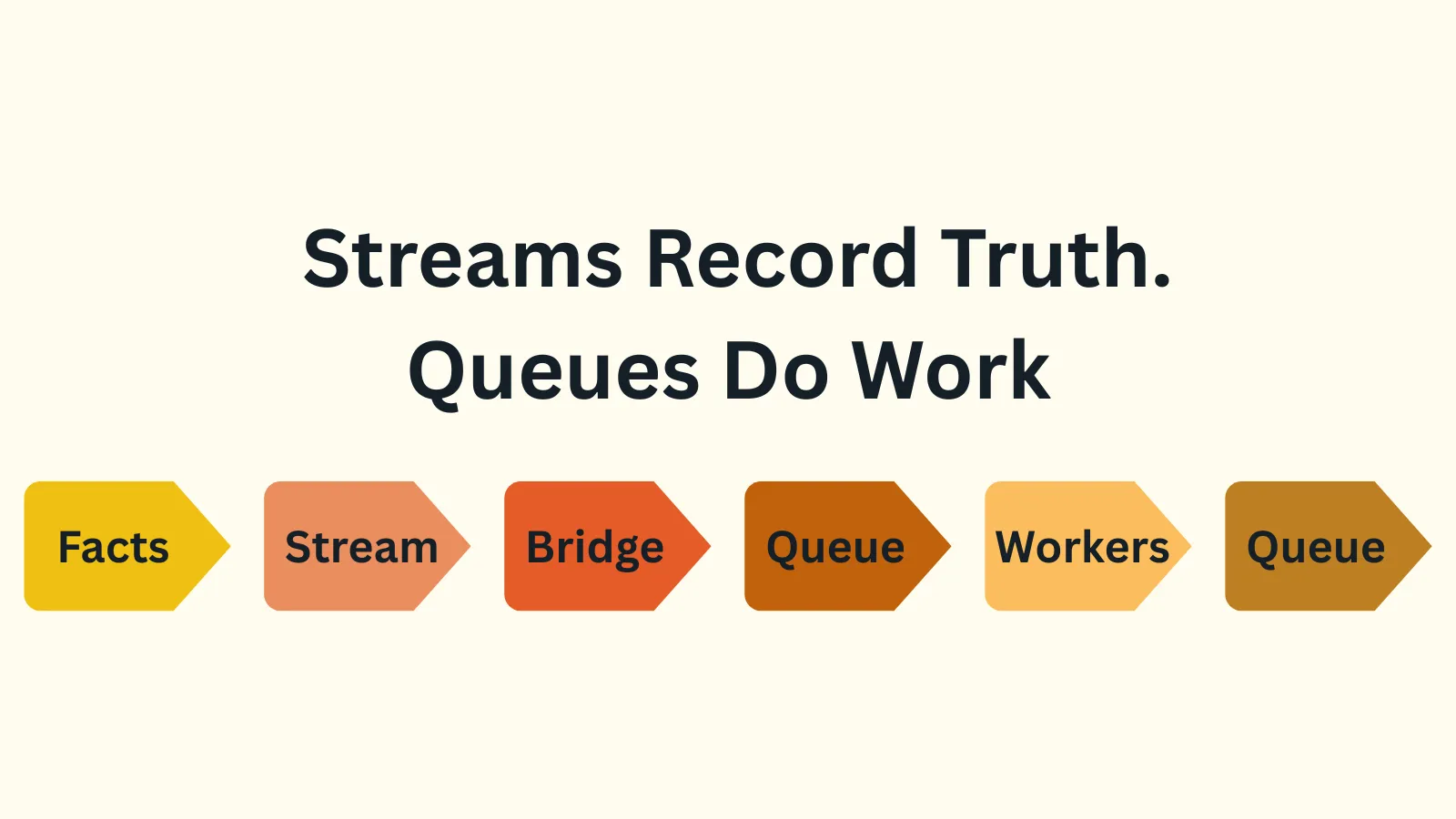
The rule is simple: streams record what happened, queues get work done.
Mix these up, and you lose important business history, or you’ll waste months trying to make Kafka work like a job queue.
Before you publish any message, ask yourself this one question: Will someone need to prove or replay this later, or do we need the work to finish?
- If it needs to be proved or replayed → stream (ledger).
- If it only matters until the work is done → queue (task).
Most systems actually need both. The trick? Stop trying to force one tool to do everything. A queue is a bad ledger because it erases history on success. A stream is a clumsy job queue because one bad message can block an entire partition.
The model that holds up in production is simple:
- Facts go to a stream.
- A bridge consumer converts facts to tasks.
- Tasks go to a queue.
- Workers execute tasks in parallel.
- Results go back to the stream as new facts.
Here’s how to build this in .NET using Azure Event Hubs and Service Bus.
Table of contents
Open Table of contents
The Bridge: From Fact to Task
First, record the fact in a stream. An OrderPlaced event is a fact. It happened. It should be durable and replayable.
Define an event type in C#:
public sealed record OrderPlaced(
    string OrderId,
    string CustomerId,
    decimal Amount,
    string Currency,
    DateTimeOffset OccurredAt);
Serialize and send it to Event Hubs (or Kafka). This is your ledger.
// using Azure.Messaging.EventHubs;
// using Azure.Messaging.EventHubs.Producer;
// using System.Text.Json;

public sealed class OrderEventProducer
{
    private readonly EventHubProducerClient _producer;
    private static readonly JsonSerializerOptions JsonOptions = new()
    {
        PropertyNamingPolicy = JsonNamingPolicy.CamelCase
    };

    public OrderEventProducer(EventHubProducerClient producer)
    {
        _producer = producer;
    }

    public async Task PublishOrderPlacedAsync(OrderPlaced order)
    {
        var json = JsonSerializer.Serialize(order, JsonOptions);
        var eventData = new EventData(BinaryData.FromString(json));
        await _producer.SendAsync(new[] { eventData });
    }
}
Next, a bridge service listens to the stream and creates tasks. Its only job is to move data from the “Truth” pipe to the “Work” pipe. Pay close attention to the error handling.
Here is the bridge consumer.
public sealed class BillingBridgeService : BackgroundService
{
    private readonly EventProcessorClient _processor;
    private readonly ServiceBusSender _paymentsQueue;
    private readonly ILogger<BillingBridgeService> _logger;
    private static readonly JsonSerializerOptions JsonOptions = new()
    {
        PropertyNameCaseInsensitive = true
    };

    public BillingBridgeService(
        EventProcessorClient processor,
        ServiceBusClient serviceBusClient,
        ILogger<BillingBridgeService> logger)
    {
        _processor = processor;
        _paymentsQueue = serviceBusClient.CreateSender("payments");
        _logger = logger;
    }

    protected override async Task ExecuteAsync(CancellationToken stoppingToken)
    {
        _processor.ProcessEventAsync += OnEventReceivedAsync;
        _processor.ProcessErrorAsync += args =>
        {
            _logger.LogError(args.Exception, "Event processor error");
            return Task.CompletedTask;
        };

        await _processor.StartProcessingAsync(stoppingToken);

        // Keep the host alive.
        try
        {
            await Task.Delay(Timeout.Infinite, stoppingToken);
        }
        catch (OperationCanceledException) { }
        finally
        {
            await _processor.StopProcessingAsync();
        }
    }

    private async Task OnEventReceivedAsync(ProcessEventArgs args)
    {
        try
        {
            var json = args.Data.EventBody.ToString();
            var order = JsonSerializer.Deserialize<OrderPlaced>(json, JsonOptions);

            if (order is null)
            {
                _logger.LogWarning("Received null OrderPlaced. Skipping.");
                await args.UpdateCheckpointAsync(args.CancellationToken);
                return;
            }

            var command = new CapturePayment(
                OrderId: order.OrderId,
                CustomerId: order.CustomerId,
                Amount: order.Amount,
                Currency: order.Currency);

            var cmdJson = JsonSerializer.Serialize(command, JsonOptions);
            var message = new ServiceBusMessage(cmdJson)
            {
                MessageId = $"CapturePayment-{order.OrderId}"
            };

            await _paymentsQueue.SendMessageAsync(message, args.CancellationToken);

            // Success: Checkpoint only AFTER the queue has accepted the message.
            // If the bridge crashes between send and checkpoint,
            // the event re-processes on restart. Idempotency in the worker handles duplicates.
            // See "What This Article Skipped" for why that idempotency matters.

            await args.UpdateCheckpointAsync(args.CancellationToken);
        }
        catch (JsonException ex)
        {
            // POISON MESSAGE: Bad data. Replaying won't fix it. Log and checkpoint to move on.
            _logger.LogError(ex, "Poison message: failed to deserialize OrderPlaced. Skipping event.");
            await args.UpdateCheckpointAsync(args.CancellationToken);
        }
        catch (ServiceBusException ex)
        {
            // TRANSIENT FAILURE: Queue is down or throttled. Do NOT checkpoint. Let the processor retry.
            _logger.LogError(ex, "Failed to send to Service Bus. Stream processing will retry this event.");
            throw;
        }
        catch (Exception ex)
        {
            // UNKNOWN FAILURE: Be safe. Do NOT checkpoint. Let the processor retry.
            _logger.LogError(ex, "Unexpected error processing event. Stream processing will retry.");
            throw;
        }
    }
}
The Worker: Getting Work Done
The CapturePayment command is now in a Service Bus queue. A worker can process it in parallel with other tasks. The most important part of this worker is idempotency.
Here’s the worker code:
public sealed class CapturePaymentWorker : BackgroundService
{
    private readonly ServiceBusProcessor _processor;
    private readonly IPaymentGateway _paymentGateway;
    private readonly IPaymentDeduplicationStore _dedup;
    private readonly EventHubProducerClient _eventWriter;
    private readonly ILogger<CapturePaymentWorker> _logger;
    private static readonly JsonSerializerOptions JsonOptions = new()
    {
        PropertyNameCaseInsensitive = true
    };

    public CapturePaymentWorker(
        ServiceBusProcessor processor,
        IPaymentGateway paymentGateway,
        IPaymentDeduplicationStore dedup,
        EventHubProducerClient eventWriter,
        ILogger<CapturePaymentWorker> logger)
    {
        _processor = processor;
        _paymentGateway = paymentGateway;
        _dedup = dedup;
        _eventWriter = eventWriter;
        _logger = logger;
    }

    protected override async Task ExecuteAsync(CancellationToken stoppingToken)
    {
        _processor.ProcessMessageAsync += OnMessageAsync;
        _processor.ProcessErrorAsync += args =>
        {
            _logger.LogError(args.Exception, "Service Bus processor error");
            return Task.CompletedTask;
        };

        await _processor.StartProcessingAsync(stoppingToken);

        try
        {
            await Task.Delay(Timeout.Infinite, stoppingToken);
        }
        catch (OperationCanceledException) { }
        finally
        {
            await _processor.StopProcessingAsync();
        }
    }

    private async Task OnMessageAsync(ProcessMessageEventArgs args)
    {
        try
        {
            var command = JsonSerializer.Deserialize<CapturePayment>(
                args.Message.Body.ToString(),
                JsonOptions);

            if (command is null)
            {
                _logger.LogWarning("Received null CapturePayment command. Discarding.");
                await args.CompleteMessageAsync(args.Message);
                return;
            }

            // IDEMPOTENCY: Mark this OrderId as "in flight" to prevent duplicate messages.
            // MarkCapturedAsync must be atomic (e.g., Redis SETNX or SQL unique constraint).
            // Implementation details matter here—see follow-up article on idempotency patterns.

            try
            {
                await _dedup.MarkCapturedAsync(command.OrderId);
            }
            catch (DuplicateOperationException)
            {
                _logger.LogInformation(
                    "Payment already captured for order {OrderId}. Skipping.",
                    command.OrderId);

                await args.CompleteMessageAsync(args.Message);
                return;
            }

            // Now charge the card. We have reserved this OrderId.
            var result = await _paymentGateway.CaptureAsync(
                command.OrderId,
                command.Amount,
                command.Currency);

            // Write the result back to the stream as a new fact.
            var paymentCaptured = new PaymentCaptured(
                OrderId: command.OrderId,
                TransactionId: result.TransactionId,
                Amount: command.Amount,
                CapturedAt: DateTimeOffset.UtcNow);

            var json = JsonSerializer.Serialize(paymentCaptured, JsonOptions);
            var eventData = new EventData(BinaryData.FromString(json));
            await _eventWriter.SendAsync(new[] { eventData });

            await args.CompleteMessageAsync(args.Message);
        }
        catch (Exception ex)
        {
            _logger.LogError(ex, "Failed to process CapturePayment command.");
            throw; // Let the queue handle retries and eventually dead-lettering.
        }
    }
}
Your worker must be idempotent. Queues guarantee “at-least-once” delivery, which means your handler might run twice. Notice MarkCapturedAsync is called before charging the card. It should atomically reserve the OrderId (e.g., using a unique constraint in SQL or SETNX in Redis). If a second worker tries to process the same message, MarkCapturedAsync throws a DuplicateOperationException. We catch it, log that the work is already done, and complete the message: one order, one charge.
When the work is done, the worker emits a new fact, PaymentCaptured, back to the stream. The ledger is now complete.
Common Mistakes
Mistake 1: Using a Queue as a Ledger
Service Bus is not a multi-year history store. Someone will eventually shorten the retention to save money, and your audit trail will silently vanish. Store facts in Event Hubs, Kafka, or a dedicated Events database table.
Mistake 2: Using a Stream for All Work
Stuffing every task into Event Hubs works until one message fails to deserialize or your payment gateway goes down. Now your partition processor is stuck, retrying the same message while other orders pile up behind it. You end up rebuilding retry logic, circuit breakers, and dead-lettering inside the consumer—basically writing a bad job queue. Use Service Bus (or a similar service) for commands that require independent retry and scaling.
Mistake 3: Blind Faith in “Exactly Once.”
It doesn’t exist in distributed systems. There is only “At-Least-Once + Idempotency.” Design your handlers so that running them twice on the same message causes no harm.
What This Article Skipped
This approach works, but three things’ll trip you up in production:
-
Idempotency implementation:
IPaymentDeduplicationStoreneeds an atomic operation (RedisSETNX, SQL unique constraint, or DynamoDB conditional write). Get it wrong, and you charge customers twice. -
Failure handling: Dead-letter queues, retry limits, poison message monitoring, and what to do when your bridge crashes mid-checkpoint.
-
Testing without infrastructure: How to test the bridge and worker in isolation without spinning up Event Hubs and Service Bus for every test run.
I’ll cover all three in my next post. For now, the code above is enough to prototype the happy path and see if the shape works for your domain.